Step 4: Wall Detection
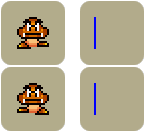
First, we will check for a collision on the left side, by switching to the Left Detector animation and testing if the Enemy (which is now a blue line 16 pixels high and 1 pixel wide) is overlapping an obstacle. If a collision occurs, the Enemy will be sent the opposite direction.
- Always
 : Set FrameSave to Image( "" )
- : Change animation sequence to Left Detector
- is overlapping a backdrop
- : Set direction to

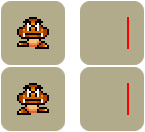
Next, we will check for a collision on the right side of the Enemy, by switching to the Right Detector animation and testing for an overlap. Once again reversing the direction if a collision is detected.
- Always
- : Change animation sequence to Right Detector
- is overlapping a backdrop
- : Set direction to

7